1. Create your account
Sign up with an email address or use your Google account. Your private, encrypted contact vault is ready straight away.
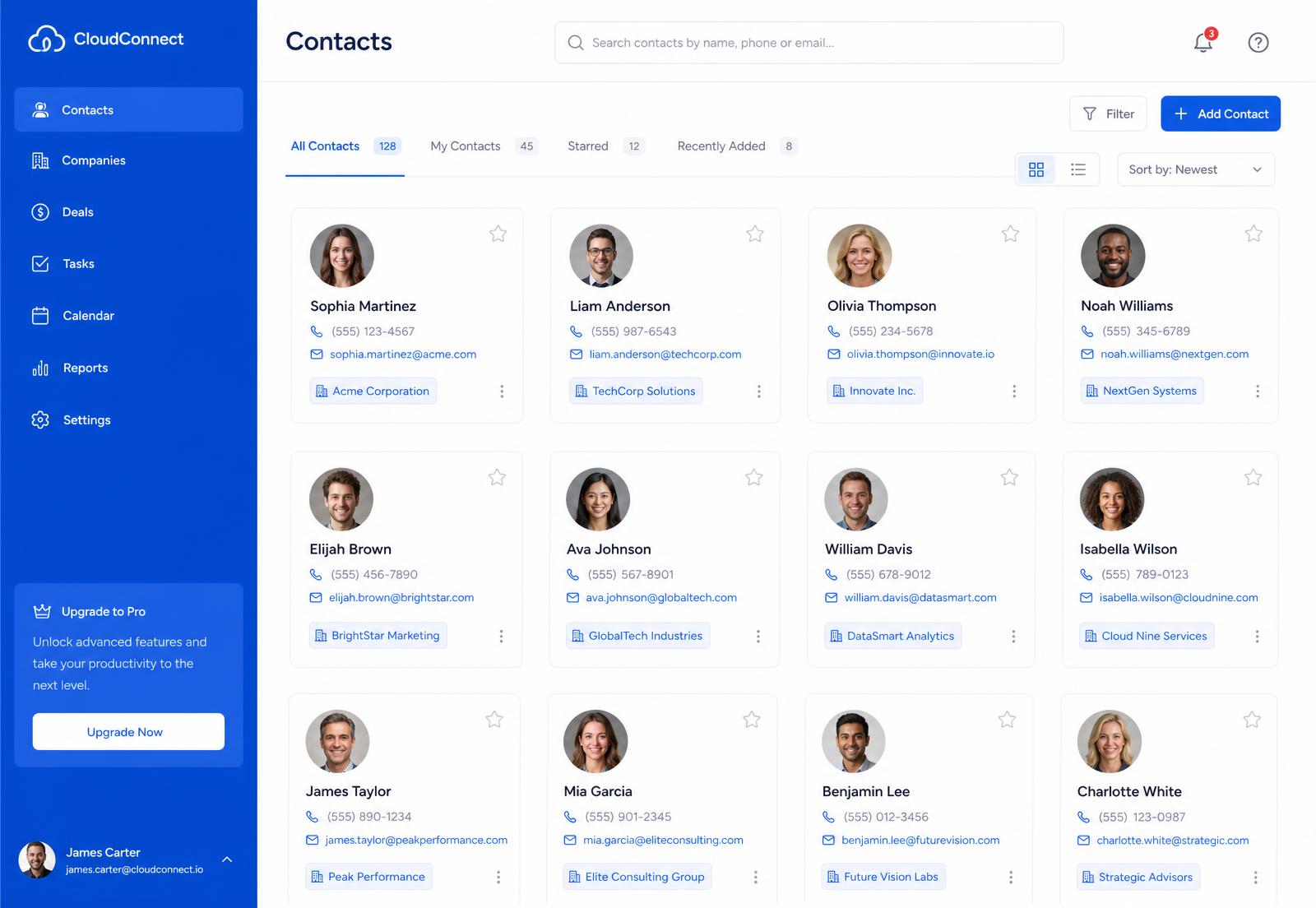
Sign in once and import your contacts from Google, Facebook, X, WhatsApp, LinkedIn, Outlook and plain CSV files. We keep the names, avatars, phone numbers, email addresses and postal addresses together — tidy, de-duplicated and always available.
8+
Contact sources supported
20+
Fields captured per contact
256-bit
Encryption in transit and at rest
24/7
Access from any browser
How it works
Most people have contacts spread across five or six services. ContactsCloud brings them together in four simple steps — no spreadsheets, no copying and pasting.
Sign up with an email address or use your Google account. Your private, encrypted contact vault is ready straight away.
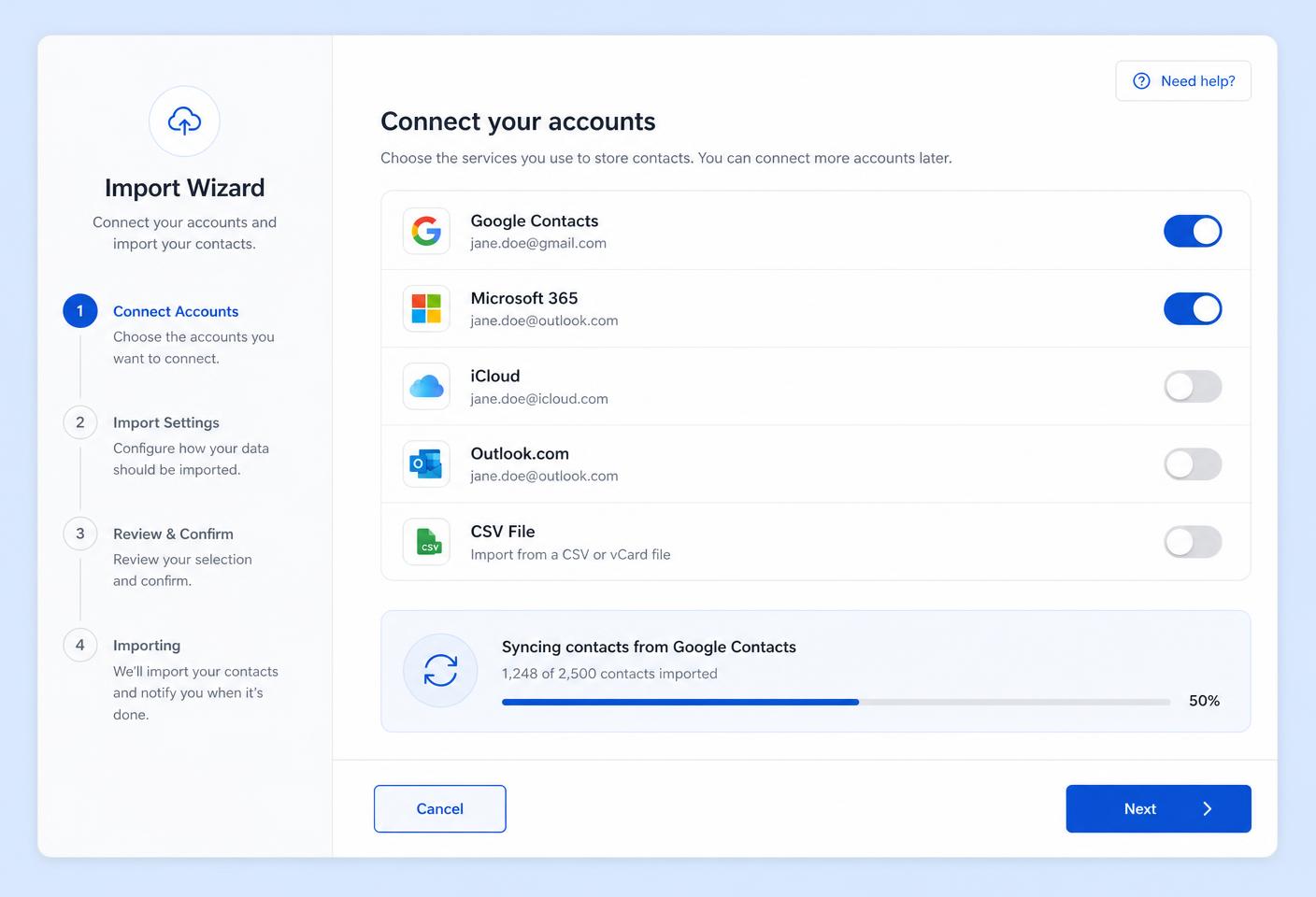
Authorise each service you use — Google, Facebook, X, WhatsApp, LinkedIn, Outlook — or upload a CSV or vCard export. You stay in control of what is shared.
We pull names, profile photos, phone numbers, emails and addresses, then merge duplicates into a single rich contact record.
Search, tag, favourite and export from any browser. Google Contacts stays in sync both ways so your phone is always current.
Integrations
Connect an account once and we handle the rest. New sources are added regularly, and every import is entirely under your control.
Sign in with Google and keep your Google address book two-way synced with your cloud contact list, forever.
Upload a CSV or vCard export from any phone, CRM or address book and map the columns to your contact fields.
Authorise Facebook once and pull your friends list with names, profile photos and any contact details they share.
Import the people you follow, including handles, display names, avatars, bios and linked websites.
Bring across your WhatsApp address book from an exported backup, matched against contacts you already store.
Sync your professional network with job titles, employers and industries kept up to date automatically.
Connect a work or personal Microsoft account and merge your Outlook address book with everything else.
Keep your iPhone address book aligned with your cloud contact list through iCloud sync.
Rich contact detail
Different services expose different information. ContactsCloud takes everything each source allows and writes it into one complete record.
Your dashboard
Search instantly, filter by source or tag, star the people who matter and edit any detail in place. Everything saves straight to your encrypted cloud vault.
Duplicate people from different networks are combined into one record.
Only you can read your contacts. We never sell or share your data.
Google Contacts stays aligned in both directions after every change.
Native iOS and Android apps arrive next — the web works everywhere today.

Why ContactsCloud
Whether you have 200 contacts or 20,000, everything stays fast, clean and organised.
Phones break, accounts get closed and networks shut down. Your contacts live in the cloud with us, safely away from any single device or platform.
Stop wondering whether you saved someone on WhatsApp or LinkedIn. Search once and see the person, with every detail attached.
Tags, companies, job titles and notes turn your address book into a lightweight CRM you actually enjoy using.
Customers
“I had contacts in four different places. Within ten minutes of signing up they were all in one list, with photos and phone numbers intact.”
Amelia Hart
Recruitment consultant, Leeds
“The Google sync alone is worth it. I add someone on my phone and it is on ContactsCloud before I put it down.”
Daniel Okoye
Independent photographer, London
“Clean, quick and no clutter. It does exactly what it promises and the lifetime plan made it a no-brainer for us.”
Priya Raman
Operations lead, Manchester
Simple pricing
Every feature is included on both options — unlimited contacts, every integration and full cloud backup.
Create a free account, connect your first source in under two minutes and see every contact you own in one clean list.